doc title Help Center

Assigning Uplink Ports
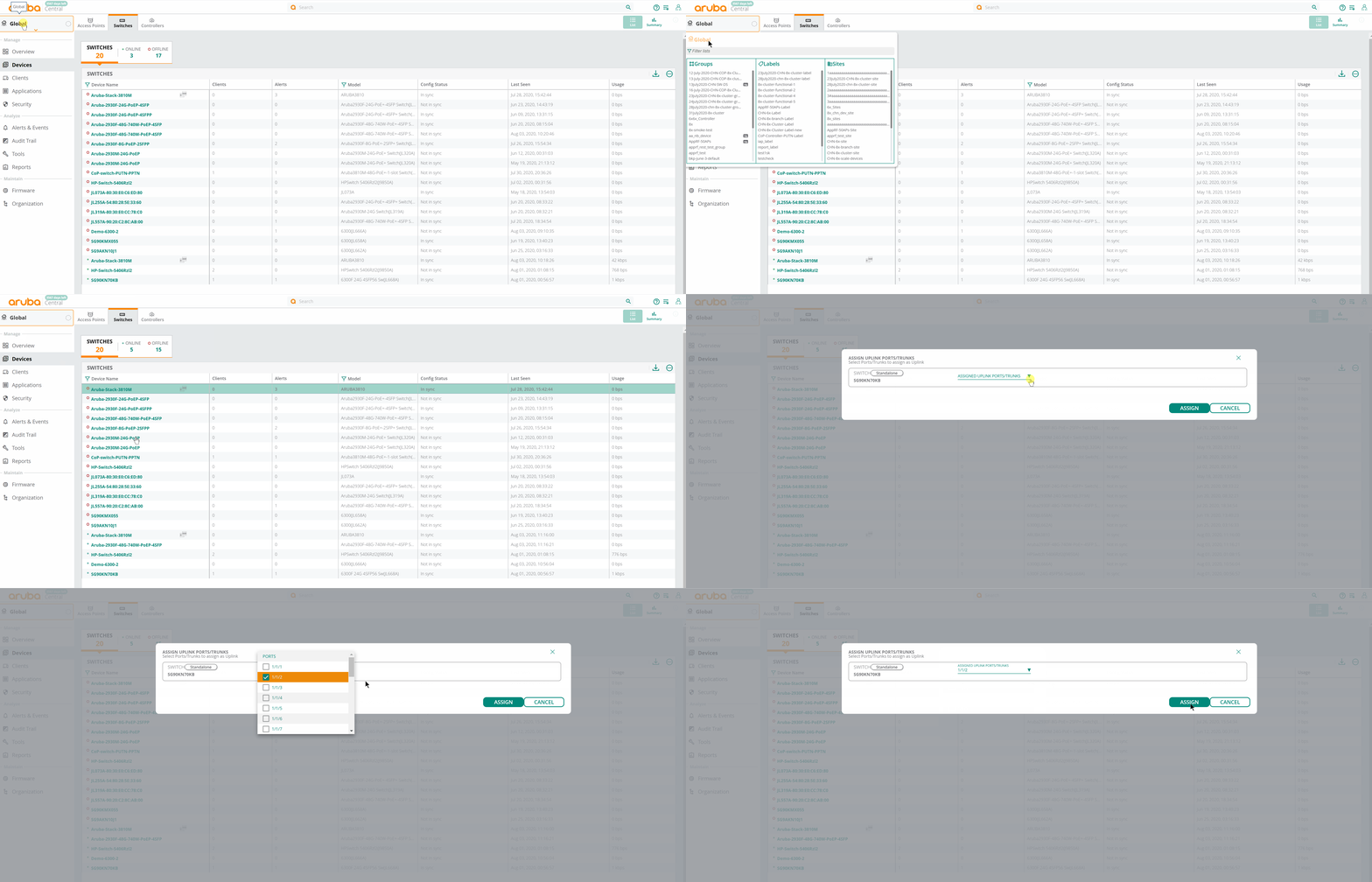
To assign uplink port(s):
1. In the app, set the filter to one of the options under , , or . For all devices, set the filter to .
The dashboard context for the selected filter is displayed.
2. Under , click .
A list of switches is displayed in the view.
3. In the table, hover over the switch for which you want to assign uplink port(s).
4. Click .
|
|
For offline switches, click Actions > Uplinks in the pop-up window. |
5. In the Assign Uplink Ports/Trunks dialog box, click the drop-down.
6. Select the port(s), and click .
The following animation shows you how to assign uplink port(s):